
Share availability in month view — 8 seconds to booking
The coach sees all of May in a green calendar instead of 96 time slots. Free days highlighted, one click opens the slots, booking creates the event for you.
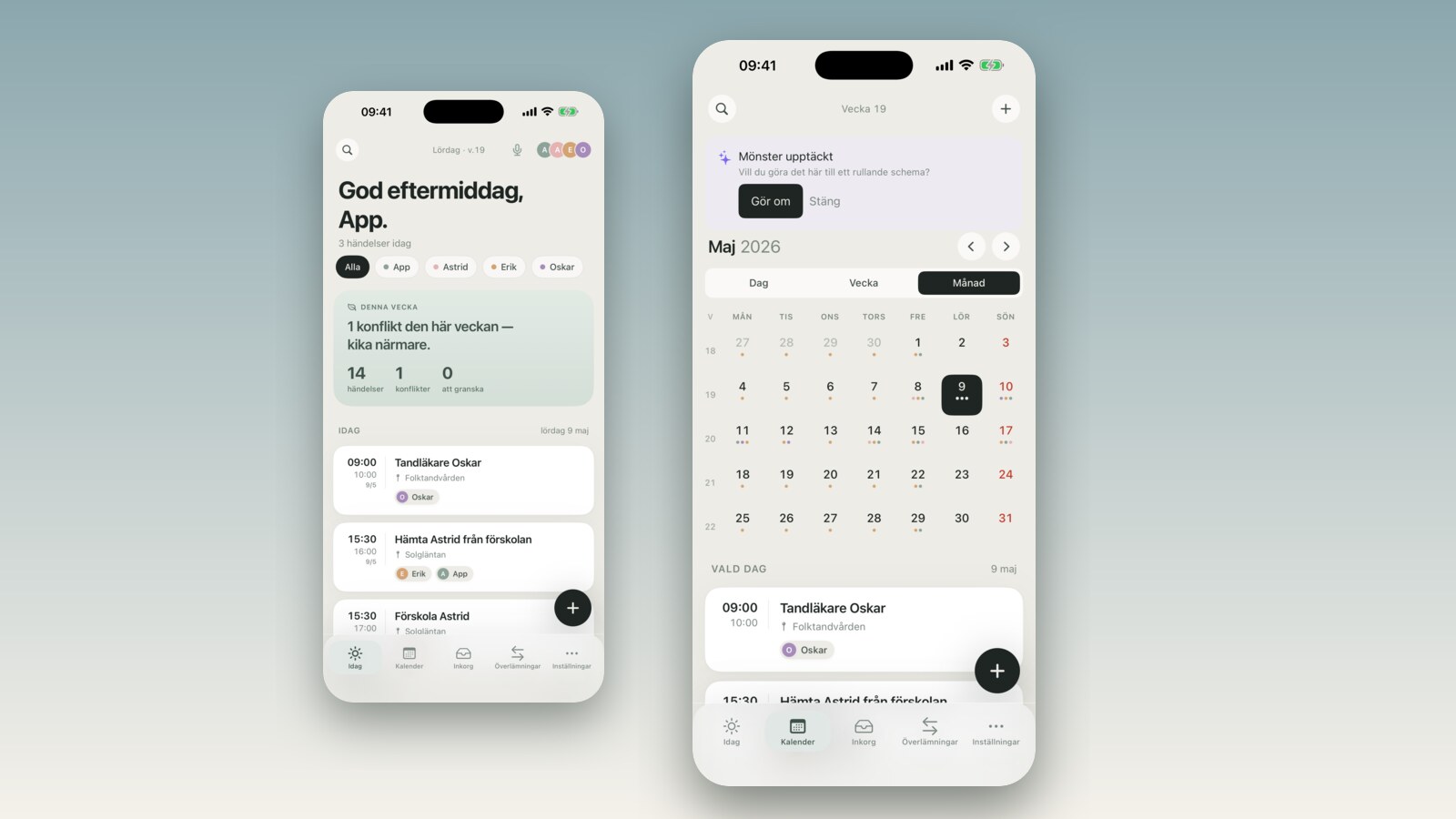
The coach needs 30 minutes with you next week. You send your availability link. He opens it, sees a list of 96 time slots, scrolls down a bit, scrolls back up, tries to keep track of which days are which — and after about 40 seconds he gives up and sends a text: "Tuesday at 5?" You are back in the SMS thread. The link was useless, not because the idea was wrong, but because a flat list is not a human way to understand time.
That is what we fixed in v2.4.
What changed
Four things changed on the recipient side when you share availability:
- The list view is gone. The recipient now lands on a monthly calendar directly — the whole of May in one view, not 96 rows.
- Free days are highlighted in green. Days when you have no available slots are gray. The recipient can see at a glance roughly when you are free.
- Clicking a day opens only that day's slots. Instead of evaluating all times at once, the recipient only needs to compare 3–5 options for the day they choose.
- Booking creates the event for you. When the recipient confirms a time, the event is created directly in your calendar — no "approve" step that requires you to be in the app.
The slot cap was also raised: from 96 to 800 total. This lets you share an entire month with multiple slots per day without the list getting cut off halfway through.
Why the list didn't work
We launched the /a/<slug> link with a flat list and thought it was reasonable — you pick a time window, we list all available slots in that window. Simple.
That held for about two weeks.
What we had not accounted for is that a list of time slots requires the recipient to hold two questions in their head simultaneously: which day works for me? and which time on that day works for me? In a list those questions are intertwined — you have to read each row to understand which day it belongs to. The brain looks for patterns ("Tuesday seems to have plenty of slots") but the list gives no overview, just rows.
It took 40 seconds on average. That is an eternity in a booking flow. And for many recipients 40 seconds was longer than their patience lasted.
The monthly calendar solves this in a straightforward way: it answers the first question visually. Green day = there is time available. Gray day = there isn't. The recipient picks a day and question one is resolved without reading a single item. Then, and only then, do they need to think about which time.
What it looks like for the recipient
1. They open the link and see a monthly grid — May 2026, all 31 days. Days with available time have a green background and a small counter: "4 available times." Days with no slots are gray.
2. They click on a day, say Tuesday the 12th. A section opens below the calendar with just the times you have free that day: "10:00–10:30 · 2:00–2:30 · 5:00–5:30." Three rows to read, not ninety-six.
3. They pick a time, fill in name and email, and confirm. Done. They get a confirmation email with an iCal attachment. You get a notification in the app and the event appears in your calendar without you needing to do anything.
Average time from link click to booking: 8 seconds. Compared to 40 seconds before. That is not a small improvement — it is the difference between a booking flow that actually gets used and one that sends people back to texting.
When it is useful
The coach who wants to schedule a call. You have varying availability — work sometimes, pickups, practice. Sending a link gives the coach a clear answer to "when does it work?" without you having to negotiate back and forth over which days and times are open. He sees all of May, clicks a green day, and picks a slot.
The school scheduling parent-teacher conferences. A 15-minute slot per parent, spread across a week. You create a link with tight intervals (every 15 minutes, 5–7 PM), share it with the teacher. The teacher picks a time that fits the class. The event lands in your calendar — no manual coordination, no email back-and-forth.
A freelancer offering a consultation hour. You work part-time and have irregular free slots. A link you put on your website or in your email signature lets potential clients book a walk-through without you needing to check your calendar for every request.
The common thread: situations where the other person needs to understand your availability, not the other way around. A monthly overview is a much clearer answer than an SMS thread.
How to get started
On iOS: Settings → Share availability → Create link. Choose a window (default 30 days ahead), which day-of-week pattern applies, and how long the slots you want to offer are. We mint a link like familyboard.io/a/abc123 — it is public but not searchable, the address is randomly generated. Send it via iMessage, email, Slack, whatever.
It takes about a minute to set up the first link. You can have multiple active links at the same time — one for the coach, one for the teacher, one with different times for weekends.
For a full walk-through of the settings page and all the options available, read the complete guide to availability sharing in month view — it covers how to configure day-of-week filters and what happens if the recipient shares your link with someone else. You can also find more about the weekday filter for availability sharing in a separate post if you want to restrict which days are visible.
The full v2.4 update is on the what's new page, and you can see all features on the home page.
Frequently asked questions
Does the recipient see my existing events? No. The recipient only sees whether a time slot is free or not — not what fills it up. We reveal nothing about your existing events: no titles, no locations, no attendees. A gray day means "no available slots right now," not "you have events that day."
What if I book myself into a slot after I sent the link? We remove the slot automatically. If the recipient tries to book a time that is no longer available they see a message about it and can pick another time from the month view.
Can two people book the same slot? No. This is handled server-side. If two recipients click the same slot at nearly the same moment, the one who confirms first wins. The other sees that the slot is taken and chooses again.
How do I turn off the link if I change my mind? Settings → Share availability → Rotate (or Deactivate). The old URL stops responding immediately. Nobody who opened the link previously can book through it any more.
What does raising the cap to 800 slots mean? If you share an entire month with four 30-minute slots per day you land at around 120 slots total — well under the old cap of 96 per window. Now you can share longer periods, dense schedules, or shorter slots (15 min × 8/day × 30 days = 240 slots) without the list getting cut off. For most families this is invisible — but if you shared a link and wondered why the end of the month was empty, it was probably the old cap cutting things off.